Your web app can install on a phone, work offline, and look like a native app. No App Store approval. No 30% cut. But there is a catch — and it lives in Cupertino.
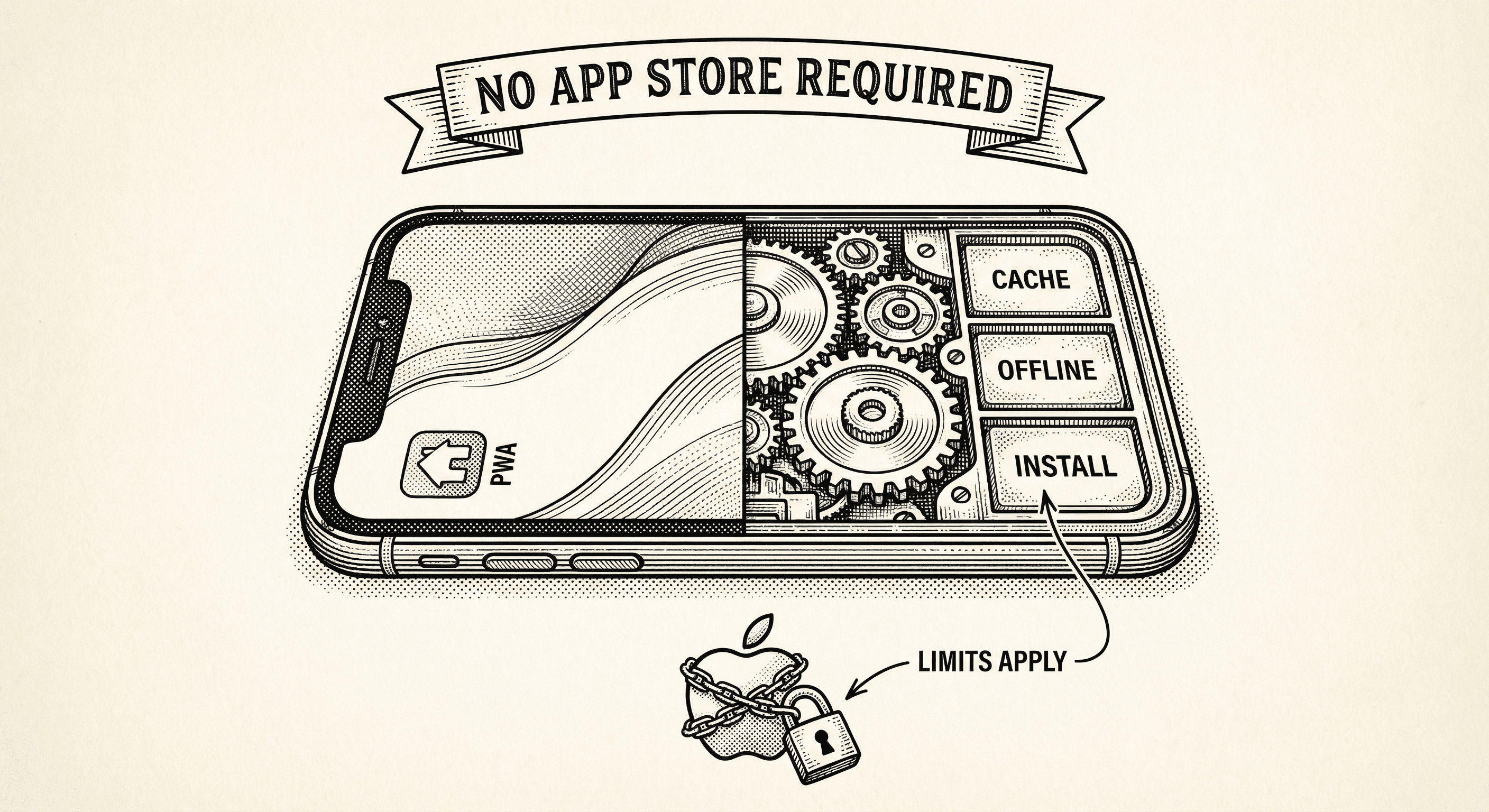
Build your app once. Deploy it to the web. Users visit the URL, tap "Add to Home Screen," and now it looks and feels like an app they downloaded from the App Store. It loads fast. It works offline. It runs full-screen. No App Store submission. No two-week review process. No 30% revenue cut to Apple or Google.
That is the promise of a Progressive Web App, and most of it is real.
But there is a catch. And if you do not understand it before you build, you will hit a wall that no amount of clever engineering can fix.
A PWA is a regular web app with three additions:
A manifest file that tells the browser "this is an app, not just a website." It defines the app name, the icon, the splash screen colors, and how the app should open. When a user installs the PWA, the browser reads this file and creates a home screen icon that looks indistinguishable from a native app.
A service worker that sits between your app and the internet. When the app loads a page, the service worker intercepts the request and decides: should I fetch this from the server, or do I already have a cached copy? For static content (your CSS, your JavaScript, your images), the cached copy loads instantly. For dynamic content (API calls, user data), the service worker steps aside and lets the request go through. This is what makes offline functionality possible.
HTTPS — the browser will not register a service worker on an insecure connection. If your app runs on HTTPS (which every modern deployment does), this requirement is already met.
That is it. No special framework. No native code. No app binary. Your existing web app, plus a manifest, plus a service worker.
Once the service worker caches your app's static assets, pages load in milliseconds. The CSS, JavaScript, fonts, and images are already on the device. Only the dynamic data needs to come from the server. For content-heavy apps — blogs, documentation, dashboards — this makes the experience feel native.
Users can add your app to their home screen on both Android and iOS. On Android, the browser proactively prompts "Add to Home Screen" when it detects a valid PWA. On iOS, the user taps the share button and selects "Add to Home Screen." Either way, the result is an icon on the home screen that opens your app in full-screen mode with no browser address bar.
Static pages work without an internet connection. If a user loaded your marketing page, your about page, and your documentation while online, all three are available offline. API calls will fail gracefully (you control the error message), but the app itself does not break.
There is no App Store review. There is no Play Store review. You deploy to your web server and every user immediately has the latest version. No waiting for approval. No risk of rejection. No 30% fee on in-app purchases.
You are not maintaining a web app, an iOS app, and an Android app. You are maintaining one codebase that works everywhere. Changes deploy once and reach every user on every device.
Apple does not want PWAs to succeed.
This is not speculation. It is observable through years of decisions Apple has made about what browsers on iOS are allowed to do:
Storage limits. iOS can and will delete your PWA's cached data if the user has not opened the app recently. Your carefully cached offline experience can vanish without warning.
No background processing. When the user closes your PWA, it stops. It cannot sync data, check for updates, or run tasks in the background. A native app can. This means your PWA cannot reliably alert users about new messages, update data while idle, or maintain a real-time connection when minimized.
Push notification limitations. iOS added PWA push notification support, but it requires the user to explicitly enable it, and the implementation is less reliable than native push. Many users will never find the setting.
No access to many device APIs. Bluetooth, NFC, HealthKit, ARKit, contact book, file system — these are available to native apps but not to PWAs on iOS. If your product needs to interact with hardware or system-level features, PWA is not enough.
WebKit only. Every browser on iOS — Chrome, Firefox, Edge, all of them — is required to use Apple's WebKit engine under the hood. This means PWA capabilities on iOS are limited to what Apple decides WebKit should support. Google cannot bring Chrome's superior PWA support to iOS because Apple will not allow it.
The net effect: PWAs on Android are excellent. PWAs on iOS are functional but constrained. Apple treats PWAs as second-class citizens because every good PWA is a native app that was never submitted to the App Store — and never paid the 30% fee.
For the majority of SaaS products, PWA covers the mobile use case well. Ask yourself these questions:
Is your product primarily a screen people look at and interact with? Dashboards, content tools, admin panels, analytics, documentation, blogs — all of these work perfectly as PWAs. The user opens the app, reads or edits content, and closes it. No background processing needed. No hardware access needed.
Do your users primarily work on desktop? If mobile is secondary — a way to check something quickly, approve a request, skim a report — PWA handles that. The user opens the app on their phone, does the quick task, and goes back to their computer.
Is offline access a nice-to-have, not a requirement? PWA offline support is great for static content but limited for dynamic data. If your app needs to work fully offline (think a field service tool used in areas without connectivity), PWA alone may not be enough.
If you answered yes to these questions, PWA is enough. You do not need a native app. You do not need React Native. You do not need to manage App Store submissions. Your web app, installable on the home screen, is your mobile strategy.
You need a native app (or React Native) when:
Caching is powerful. Caching the wrong things is dangerous.
If your service worker caches an API response that contains a user's personal data, that data sits on the device. If it caches a payment page, a stale version could show incorrect prices. If it caches an auth token, that token persists even after the user logs out.
A well-built PWA uses default-deny caching: nothing is cached unless explicitly allowed. API routes, authentication pages, payment flows, admin panels, and user-specific pages bypass the service worker entirely. Only static assets — CSS, JavaScript, images, fonts — get cached.
This is not a detail to get right later. This is a decision that must be correct from the start.
PWA gives you a genuine mobile experience — installable, fast, offline-capable — for free. No App Store. No native code. No second codebase. For most web-based SaaS products, it is the right mobile strategy.
The cost is Apple. iOS imposes real limits on what PWAs can do, and those limits are unlikely to loosen because they protect Apple's App Store revenue. If your product runs into those limits, the answer is not "make the PWA better." The answer is a native app.
Know the limits before you build, and you will make the right call.

Most templates assume you have a plan. Ship Something™ is built for how you actually work — one feature at a time, changing direction, figuring it out as you go. Here is how five architectural layers keep your codebase healthy while you build piecemeal.

Everyone says they have agents. Most do not. Here is what actually makes an AI system an agent, how agents differ from chatbots and automation, and the formula that turns a language model into something that can build software.
