Understand the difference between websites and web applications, how they work under the hood, and why this matters for the product you are about to build.

If you have ever used Gmail, Trello, or Notion in your browser, you have already used a web application. But what exactly makes these different from a regular website, and why does the distinction matter when you are building your own product?
This guide breaks it down in plain English — no programming experience required.
Think of a website like a brochure. It shows information. You can read it, scroll through pages, and click links, but the content stays mostly the same for everyone who visits. A restaurant menu page, a news article, or a company "About Us" page are all classic websites.
A web application is more like a tool. It responds to what you do. You can log in, save data, interact with other users, and get a personalized experience. When you compose an email in Gmail, manage tasks in Trello, or write a document in Google Docs, you are using a web application.
Here is a simple way to think about it:
| Feature | Website | Web Application |
|---|---|---|
| Content | Same for everyone | Personalized per user |
| Interaction | Read and click links | Create, edit, delete data |
| Authentication | Usually not required | Login required |
| Data storage | Static content | Dynamic, user-specific data |
| Examples | Blog, portfolio, landing page | Email client, project manager, dashboard |
The product you are building with this template is a web application. It can handle user accounts, store data, process payments, and deliver a unique experience to each person who uses it.
Every web application — no matter how simple or complex — is built from three layers that work together. Understanding these layers will help you make better decisions about your product.
The frontend is everything that appears in someone's browser. Buttons, text, images, forms, navigation menus — all of it. When someone talks about "the user interface" or "the UI," they mean the frontend.
In this template, the frontend is built with React and Next.js. You do not need to understand the code right now. What matters is knowing that when you change how something looks or behaves on screen, you are working with the frontend.
Think of the frontend like the dining room of a restaurant. It is the part customers see and interact with. The layout, the menu, the lighting, the table settings — all of this shapes the customer experience, even though the real cooking happens elsewhere.
The backend is the behind-the-scenes engine. It handles things like:
Users never see the backend directly. They only experience its results — a successful login, a saved file, a receipt in their inbox.
In this template, the backend runs on Next.js API routes and Supabase. These tools handle authentication, data storage, and server-side logic so you do not have to build these systems from scratch.
Think of the backend like the kitchen of a restaurant. Customers place orders from the dining room, the kitchen prepares the food, and the finished dish is delivered back. The customer never sees the kitchen, but the quality of the food depends entirely on it.
The database is where your application remembers things. User accounts, saved preferences, uploaded content, transaction records — everything that needs to persist between visits lives in the database.
Without a database, your application would forget everything the moment someone closed their browser. It is the memory of your application.
This template uses Supabase (which runs on PostgreSQL) as its database. You can think of it as a very powerful, very organized spreadsheet that your application reads from and writes to.
Here is what happens when someone uses your web application, step by step:
This entire cycle often takes less than a second. It happens every time someone interacts with your application — dozens or hundreds of times per session.
Understanding these layers helps you in several practical ways:
Better communication. If you ever work with a developer, designer, or technical advisor, you will be able to describe what you need clearly. "The frontend should show an error message when the backend returns a validation failure" is much more useful than "it should show an error sometimes."
Smarter decisions. When you are choosing features for your first version, knowing where each feature lives helps you estimate complexity. Adding a new page (frontend) is simpler than adding a new payment flow (frontend + backend + database + third-party service).
Easier debugging. When something goes wrong, you can narrow down where the problem is. Is the page not showing the right data (frontend)? Is the data not being saved (backend)? Is the data missing entirely (database)?
With this template, you are building a modern web application that already has these three layers set up and connected. The heavy lifting of wiring them together has been done for you. Your job is to shape the product — deciding what it does, how it looks, and who it serves.
In the next articles, we will dive deeper into each piece of the puzzle, starting with the specific technologies in your stack and what each one does for you.
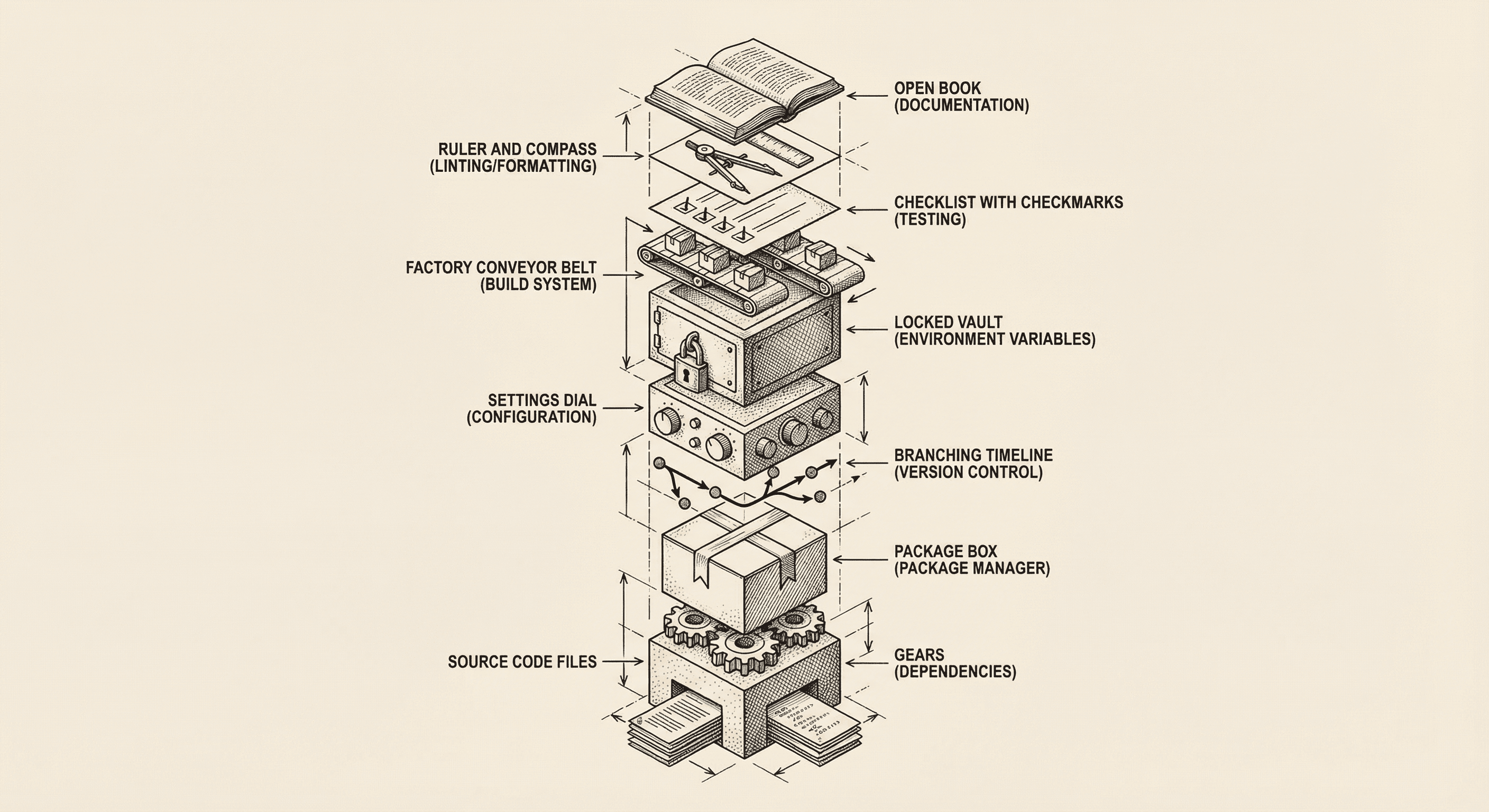
Every software project — from a weekend side project to a billion-dollar platform — shares the same fundamental building blocks. Here is what they are and why each one exists.
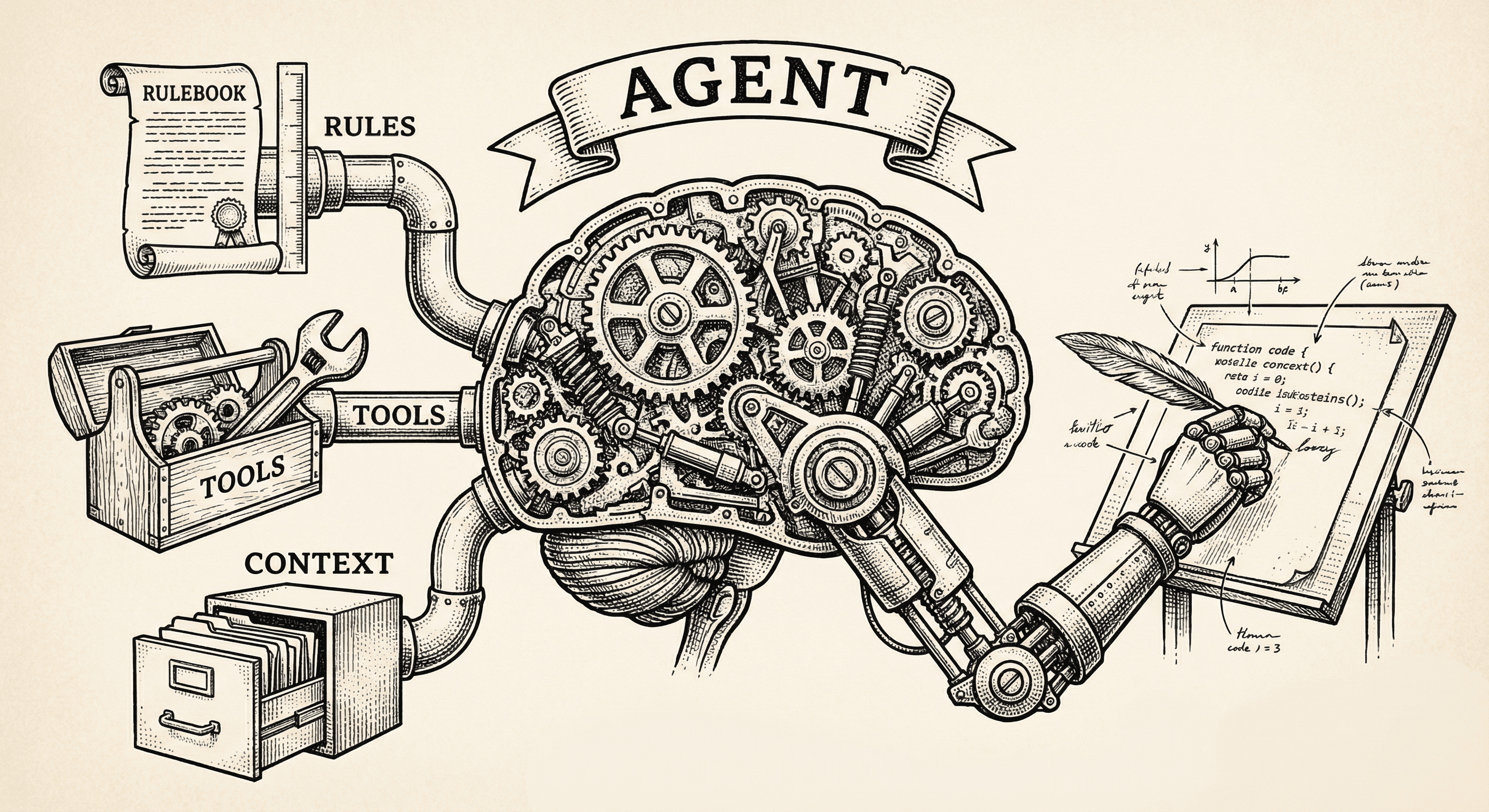
Everyone says they have agents. Most do not. Here is what actually makes an AI system an agent, how agents differ from chatbots and automation, and the formula that turns a language model into something that can build software.
