Understand what happens when someone types your URL into their browser — from DNS lookups to server responses — explained without jargon.
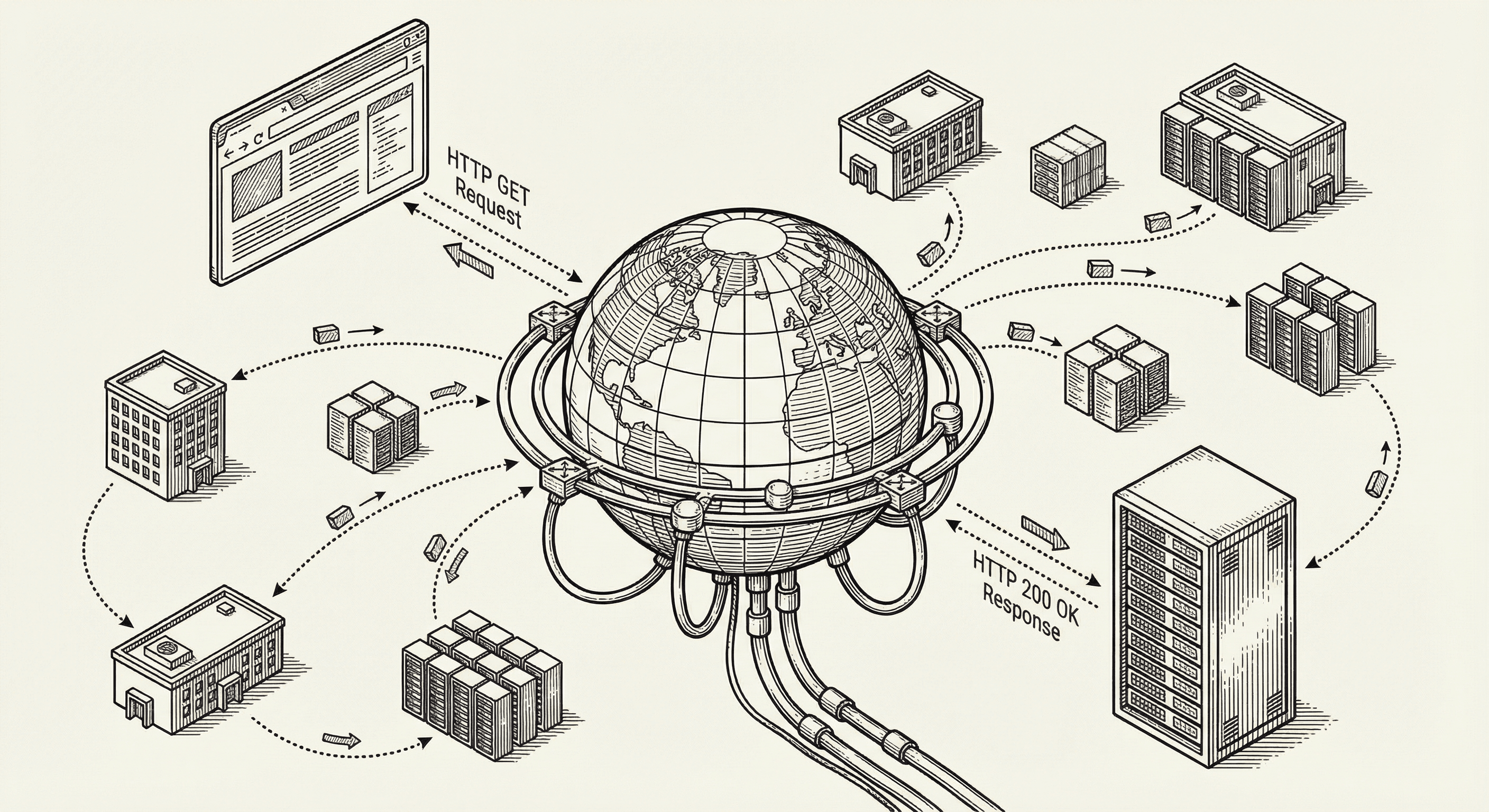
You are building a product that will live on the internet. But what exactly is the internet, and what happens when someone visits your application? Understanding this will help you make better decisions about performance, reliability, and user experience.
Do not worry — we are going to keep this entirely jargon-free.
At its simplest, the internet is a system that lets computers talk to each other. Your laptop, your phone, a server in a data center in Virginia — they can all send messages back and forth because they are all connected to this network.
Think of the internet like the postal system, but for computers. Every computer on the network has an address (called an IP address), just like every house has a street address. When one computer wants to send data to another, it packages the data, labels it with the destination address, and sends it on its way through the network.
The data does not travel in one piece. It gets split into small packets, each taking its own route through the network, and then reassembled at the destination. This is why the internet is resilient — if one path is congested or broken, packets can take alternative routes.
Let us walk through exactly what happens when a user types your website address into their browser. Each step takes a fraction of a second.
Your application has a human-readable address like www.yourproduct.com. But computers do not understand domain names — they need numeric IP addresses like 76.76.21.21.
The Domain Name System (DNS) is the internet's phone book. When someone types your domain into their browser, the first thing that happens is a DNS lookup. The browser asks a DNS server, "What is the IP address for www.yourproduct.com?" The DNS server looks it up and replies with the numeric address.
This is why when you buy a domain name and set it up with your hosting provider, you configure "DNS records" — you are essentially adding your product's phone number to the internet's phone book.
Now that the browser knows the IP address, it needs to establish a connection with your server. This happens through a process called a "handshake" — the browser and server exchange a few messages to agree on how they will communicate.
If your application uses HTTPS (and it should — this template does by default), an additional step happens here: the browser and server establish an encrypted connection. This means that everything they send back and forth is scrambled in a way that only they can read. This is what protects your users' passwords, payment information, and personal data from being intercepted.
You will notice the padlock icon in the browser's address bar — that is the visual indicator that the connection is encrypted.
With the connection established, the browser sends a request to your server. This request says, in essence, "Please send me the content for this page."
Requests come in different types:
Every interaction your users have with your application generates one or more of these requests behind the scenes.
Your server receives the request, figures out what to do with it, and sends back a response. This response includes:
Once the browser receives the HTML, it starts building the page:
Modern frameworks like Next.js optimize this process significantly. They can pre-render pages on the server so the browser receives a mostly-complete page immediately, then add interactivity afterward. This is why your application will feel fast even on slower connections.
Your domain is your address on the internet (yourproduct.com). You purchase it from a domain registrar (like Namecheap, Google Domains, or Cloudflare).
Your hosting is where your application's code actually runs. Think of the domain as your business name and the hosting as the building you operate from. This template is designed to deploy to Vercel, which handles hosting, SSL certificates, CDN distribution, and automatic scaling.
HTTPS is the secure version of HTTP (the protocol browsers use to communicate with servers). The "S" stands for "Secure." It means all data traveling between the browser and server is encrypted.
An SSL certificate is what enables HTTPS. It is a digital credential that proves your server is who it claims to be and enables encryption. Vercel provides SSL certificates automatically — you do not need to set this up manually.
A CDN is a network of servers distributed around the world. Instead of serving all your content from a single server in one location, a CDN copies your content to servers globally. When someone in Tokyo visits your application, they receive content from a nearby server instead of waiting for a response from a server in the United States.
Vercel includes a CDN by default. Your static assets (images, CSS, JavaScript files) are automatically distributed globally for fast loading anywhere in the world.
Caching is storing a copy of something so you do not have to fetch or compute it again. Your browser caches files it has already downloaded. CDN servers cache content close to users. Your application server can cache database query results.
Good caching strategy is one of the most impactful things for making your application feel fast. Next.js handles much of this for you automatically.
Latency is the time it takes for a request to travel from the user to your server and back. It is measured in milliseconds. Lower latency means a faster, more responsive experience.
Latency is affected by physical distance (data has to travel through cables), network congestion, and server processing time. CDNs reduce latency by serving content from nearby locations.
Understanding how the internet works helps you make better product decisions:
Performance. You can make informed choices about where to host, what to cache, and how to optimize. A slow application loses users — studies show that even a one-second delay in page load time can reduce conversions by seven percent.
Reliability. You understand why having a CDN matters, why HTTPS is non-negotiable, and why choosing a reputable hosting provider is important.
Security. You know that data travels through public networks and why encryption is essential. You understand why you should never send sensitive data through unencrypted connections.
Debugging. When something goes wrong, you can communicate more effectively. "The DNS is not resolving correctly" or "The server is returning 500 errors" gives whoever is helping you a clear starting point.
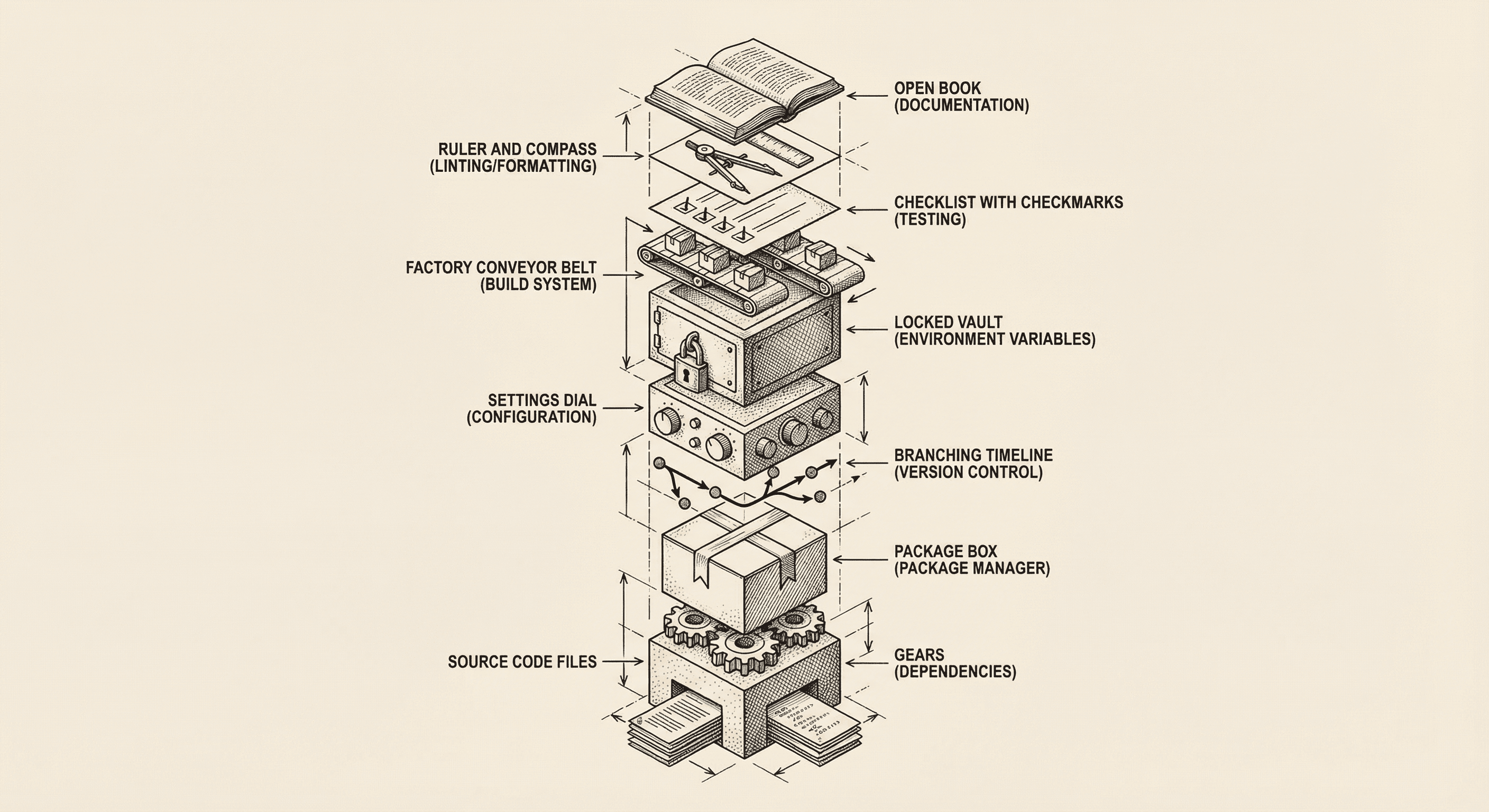
Every software project — from a weekend side project to a billion-dollar platform — shares the same fundamental building blocks. Here is what they are and why each one exists.

Understand the difference between websites and web applications, how they work under the hood, and why this matters for the product you are about to build.
