Deployment means your app runs on the internet instead of only on your computer. Here is what actually happens — build, upload, going live — and how Vercel does it when you push.
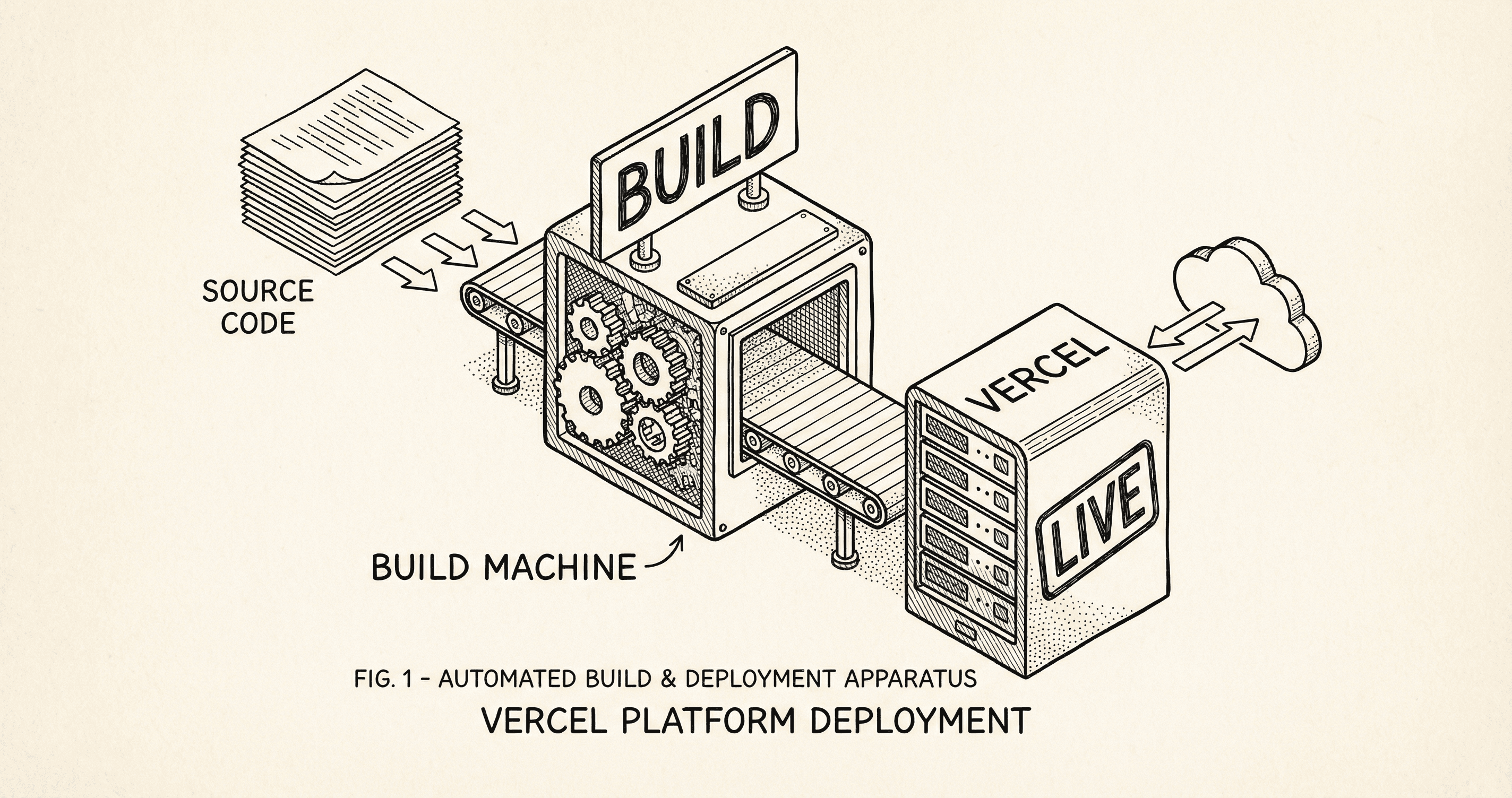
You have been building on your computer — your app runs locally and only you can open it. Deployment is the step that puts your app on the internet so anyone with the URL can use it. This post explains what deployment actually is and how Vercel does it when you push from GitHub.
Deploying means taking the application that works on your machine and making it run on servers owned by a hosting provider. Those servers are on the internet; the host gives your app a URL (e.g. yourapp.vercel.app or your custom domain), handles HTTPS, and runs your code when someone visits. So:
Think of it like the difference between cooking at home (development) and opening a restaurant (production). The recipe is the same; the kitchen and the address are different.
You push your code to the branch your host is watching (usually main). That is the trigger. No manual upload.
The host does not run your raw source code. It runs a build first — the same kind of thing that happens when you run npm run build locally. During the build:
If the build fails (e.g. a TypeScript error or a failing test), the deploy stops. You get a log showing what went wrong. Fix the error, push again, and the next deploy will try again.
Once the build succeeds, the host takes the built application and deploys it to its infrastructure. Your compiled code and assets are now on their servers. They also inject the environment variables you configured in their dashboard (e.g. production database URL, Stripe live keys) so the app has the right config in production.
The host connects your domain (or their default URL) to this deployment. When someone visits your URL, the request hits their servers and your app responds. They typically provide SSL (HTTPS) and a CDN so your app is fast and secure without you configuring servers yourself.
Vercel is the company behind Next.js. As a host they are built for this stack. When you connect your GitHub repo to Vercel:
yourproject.vercel.app) and can add your own domain.So "deployment" with this template usually means: connect the repo once, set env vars once, then push. Vercel builds and deploys each time.
.env.local for development (database URL, Stripe keys, etc.) must be added in Vercel's project settings with production values. Use the live database and live API keys in production, not test ones.npm run build locally first. If it fails locally, it will fail on Vercel. Fix any errors before you rely on automatic deploys.yourproject.vercel.app URL. When you are ready, you add your own domain in Vercel and point it via DNS; the next post in the series covers that.You started with Do Not Get Scared and Intro to GitHub. This post is what happens after the push: the build and the host. Next, Getting Your App Online covers putting it all together and registering a domain. If something goes wrong, What Deployment Errors Mean and How to Handle Them walks you through fixing it.
npm run build locally and set all required environment variables in the host's dashboard with production values.
Deployment can feel overwhelming. Start here — a short, calm intro to the path from 'it works on my computer' to 'it works for everyone.'

Put it all together: push to GitHub, deploy with Vercel, and register a domain so your app has a real address. Includes where to get a domain and how to point it at your app.
